Inmoedit

HDR merge from bracketing for real estate photography

Upload your RAW exposures and let Inmoedit detect each series, align the shots and create a natural HDR photo ready for your property shoot.

Schedule demo
LMDRSCMD

Used by 1000+ agents

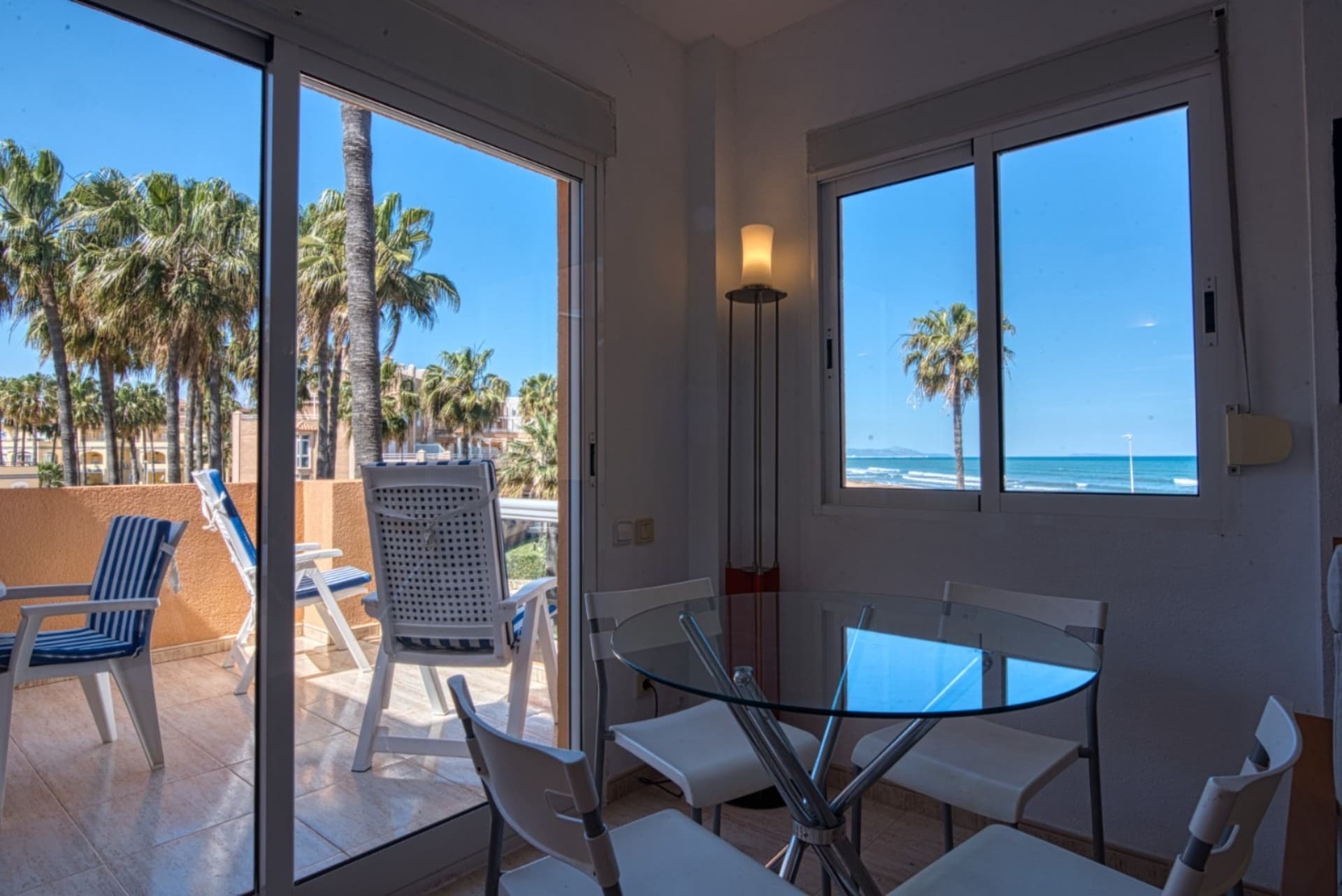
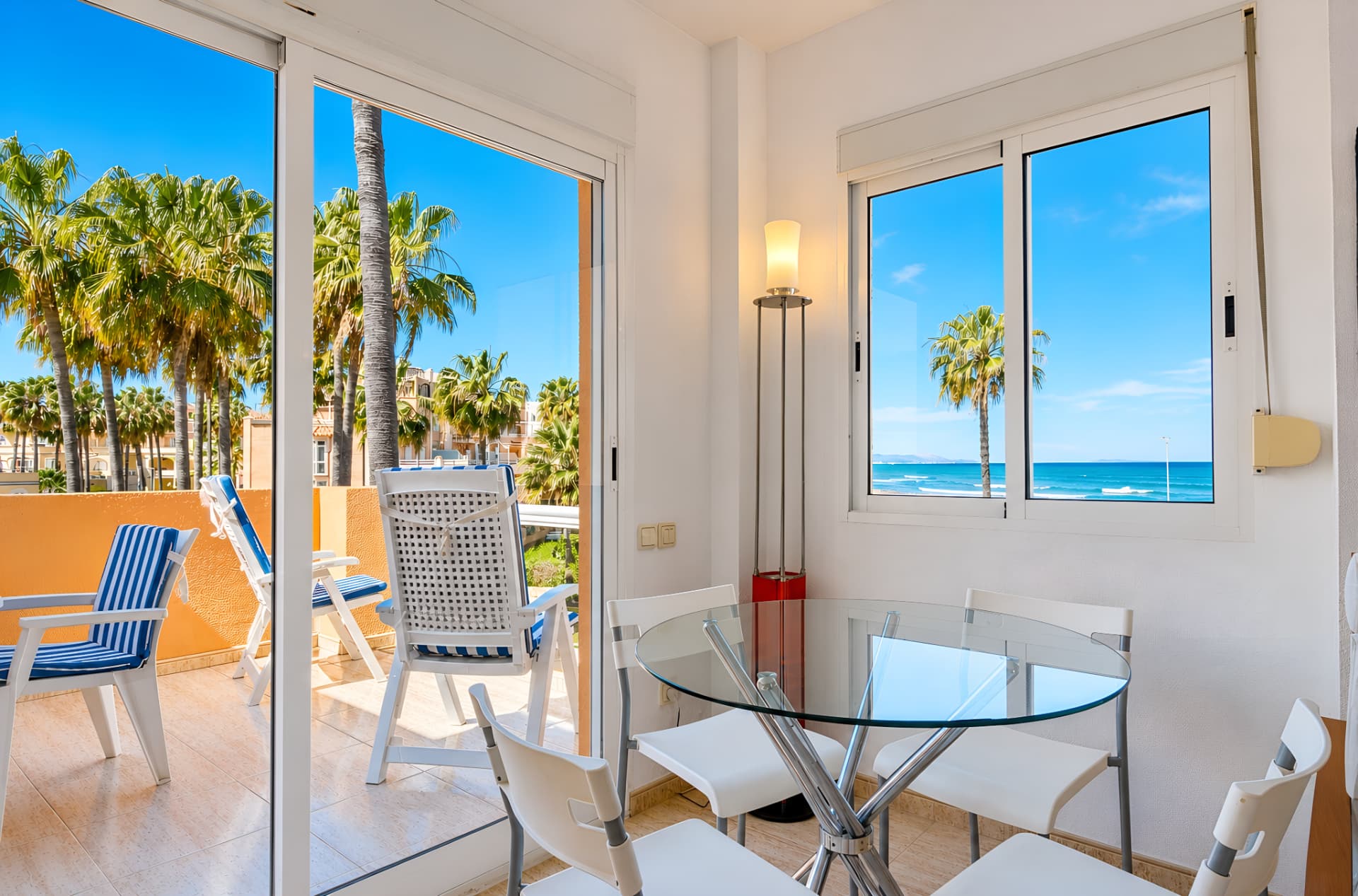
Base exposure of a property interior before HDR mergingReal estate photo with balanced highlights and shadows after HDR merging

Used by 1000+ real estate agents and industry professionals

Nuevacasa
Barnafinc
Almi Habitatges
Arroka Inmobiliaria
Nuevacasa
Barnafinc
Almi Habitatges
Arroka Inmobiliaria
Nuevacasa
Barnafinc
Almi Habitatges
Arroka Inmobiliaria
Nuevacasa
Barnafinc
Almi Habitatges
Arroka Inmobiliaria

How it works

Turn RAW brackets into balanced real estate photos without organizing and merging every exposure series by hand.

1. Capture the bracket

Photograph the same scene at 3 to 5 exposures. Keep the framing steady and let the camera vary the brightness.

2. Upload all RAW files

Upload up to 250 files together. Inmoedit analyzes the metadata and scene to separate each bracket automatically.

3. Get the merged HDR

The exposures are aligned and merged to recover detail in windows and shadows with a natural finish.

HDR merging software built for real estate

Automate repetitive bracketing tasks and keep a consistent result across complete interior and exterior property shoots.

Automatic bracket detection

Recognizes which files belong to the same scene and orders the exposures without requiring you to create groups manually.

Exposure alignment

Compensates for small shifts between shots before merging to produce cleaner edges and consistent framing.

Balanced windows and shadows

Combines information from different exposures to preserve exterior views without losing the darker areas of the interior.

Ghosting reduction

Detects differences between shots and reduces motion artifacts to produce a cleaner HDR merge.

Support for popular RAW formats

Works with CR2, CR3, NEF, ARW, DNG, RAF, RW2 and ORF files from major professional cameras.

Multiple series in one upload

Upload a complete shoot and process multiple brackets in the same workflow while also identifying individual RAW shots.

Automatic HDR merging vs manual editing

Compare Inmoedit with the traditional process of sorting and merging brackets in a photo editor.

InmoeditManual workflow
Series groupingAutomaticFile by file
Exposure orderingAutomaticManual
Alignment before mergingYesDepends on settings
Process multiple roomsOne uploadOne series at a time
Fine control over every settingAutomatedAdvanced control

Merge your next HDR property shoot in Inmoedit

Upload the RAW exposures from one or several rooms and let Inmoedit organize and process every bracket automatically.

FAQs

Frequently asked questions about HDR merging and bracketing

Bracketing means photographing the same composition at several exposures: a darker shot to preserve windows and highlights, a middle exposure and a brighter shot to recover shadows. HDR merging combines the useful information from those shots into one image with a wider dynamic range.

Create or open a project, select «Merge HDR» and upload all RAW files from the shoot. Inmoedit identifies compatible series, orders their exposures and processes each merge as a new photo inside the project.

Each series must contain between 3 and 5 exposures of the same scene. The camera can vary shutter speed, aperture or ISO, although keeping aperture and ISO fixed while changing shutter speed is usually recommended to preserve depth of field and image quality.

The tool supports Canon CR2 and CR3, Nikon NEF, Sony ARW, DNG, Fujifilm RAF, Panasonic RW2 and Olympus ORF files.

Yes. You can upload up to 250 RAW files at once. Inmoedit compares capture time, exposure metadata, dimensions and visual similarity to separate compatible brackets from individual photos.

It is not required because Inmoedit aligns small shifts between exposures, but it is strongly recommended. A tripod keeps the composition stable, reduces alignment errors and usually produces cleaner results, especially indoors.

The merge includes processing designed to reduce ghosting in areas that change between shots. For the best result, avoid people walking, moving curtains or wind-blown vegetation during the sequence.

HDR merging uses real information from multiple exposures and generally provides more latitude in high-contrast scenes. Single-photo enhancement can only work with the information available in that capture and is more practical when no bracket was taken during the shoot.

Yes. It is especially useful for interiors with bright windows, but it also works for façades, terraces and views with strong contrast. The goal is to retain detail in highlights and shadows without creating an exaggerated look.